ImageFX
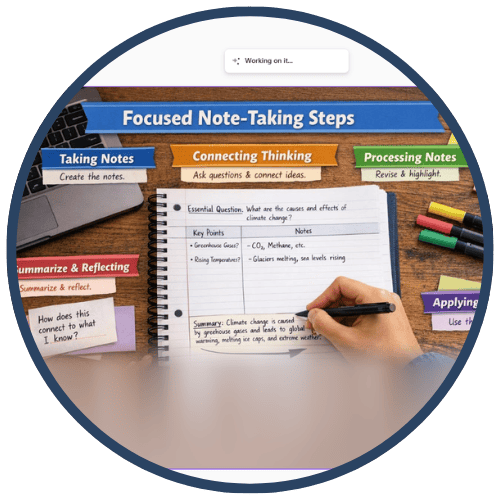
ImageFX is a free AI image generation tool from Google Labs that transforms text prompts into high‑quality, original images. Accessible through Google’s AI Test Kitchen at labs.Google/fx, ImageFX is designed for rapid iteration and creative exploration, making it easy for educators and students to generate, tweak, and download visuals for classroom use. Its “expressive chips” help users refine prompts quickly, while built‑in safety guardrails limit harmful or inappropriate content and prevent the generation of images of real people or children.
Tech Level

Intermediate
Grade Bands
6-12
Explore the Tool
Getting Started
Go to https://labs.google/fx and select ImageFX.
Sign in with an eligible Google account (verify district policies for student accounts).
Type a descriptive text prompt (e.g., “a watercolor illustration of a coral reef ecosystem with labeled species”).
Use the expressive chips below the prompt to adjust style, lighting, mood, or subject details.
Review the four generated image variations, refine with chips or updated prompts, then download chosen images for class use.
Key Classroom Features
Expressive Chips: Automatically highlights keywords in your prompt and offers dropdown “chips” to quickly tweak style, color, lighting, or focus, making prompt refinement fast and accessible for beginners.
Rapid Iteration (4 Variations): Generates four (4) image options per prompt, allowing teachers and students to compare, choose, and refine visuals quickly.
High‑Quality Output with Safety Guardrails: Built on Google’s Imagen 3 model for detailed, photorealistic, or stylized images, while enforcing safety policies that generally block harmful content and images of real people or children.
AVID Strategy Connections
✏️ Writing
Visual Writing Prompts: Use ImageFX‑generated scenes or characters as prompts for narratives, descriptive writing, or quickwrites.
Vocabulary in Context: Students generate an image for a target term (e.g., “metamorphosis”) and write a caption or explanation connecting the image to the concept.
💡 Inquiry
Questioning from Images: Students analyze an ImageFX‑generated visual and generate questions about accuracy, perspective, or missing information.
Concept Investigation: Learners request images of scientific or historical concepts and use them to launch investigations (e.g., “What does this image get right or wrong about this era or process?”).
💬 Collaboration
Group Brainstorm Boards: Teams co‑design visuals for projects (e.g., a setting, model, or infographic background) and then discuss which image best represents their idea and why.
Peer Feedback on Visual Choices: Students present their generated images, and classmates provide feedback about clarity, symbolism, and alignment to the learning goal.
🗂️ Organization
Visual Storyboarding: Students create a series of images that map out the beginning, middle, and end of a story, lab procedure, or historical sequence.
Graphic Representations: Learners design images that represent categories, processes, or systems (e.g., food webs, stages of the water cycle) to anchor organizational thinking.
📖 Reading
Image‑Supported Comprehension: Teachers pair ImageFX visuals with complex texts to support background knowledge and help students visualize abstract content.
Media Literacy & Critical Reading: Students compare AI‑generated images with textbook diagrams or historical photos and “read” the differences, evaluating reliability and bias.
Accessibility Spotlight
ImageFX supports inclusive classrooms by providing rich visual representations that help all learners—especially multilingual learners, emerging readers, and students with processing or language‑based challenges—access complex concepts. Custom images can reduce cognitive load by matching exactly what is being taught (vocabulary, processes, settings) rather than relying on generic stock photos. Because ImageFX encourages rapid iteration and refinement, teachers can quickly adjust visuals to be clearer, less cluttered, or more culturally responsive. At the same time, safety guardrails around harmful content and real people help protect students, making the tool better suited for teacher‑mediated use in K–12 settings while still supporting rigorous, conceptually rich learning tasks.

