MagicSchool AI
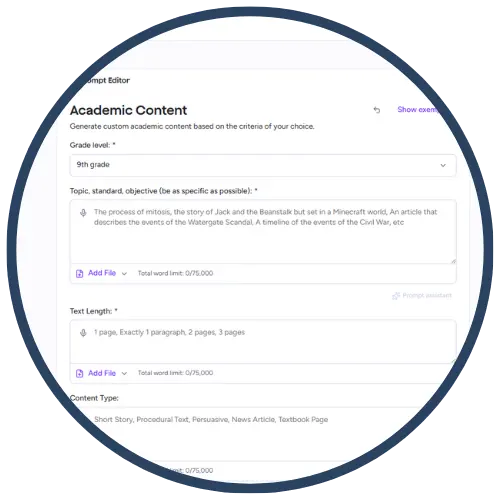
MagicSchool AI is an educator‑focused AI platform designed to save teachers time while supporting high‑quality instruction. Built specifically for K–12 education, MagicSchool AI provides tools for lesson planning, differentiation, assessments, feedback, accommodations, and communication. Teachers use MagicSchool AI to generate classroom‑ready materials aligned to instructional goals while maintaining teacher control and ethical AI use.
Tech Level

Intermediate
Grade Bands
K-12
Explore the Tool
Getting Started
Visit https://www.magicschool.ai/ and create a free educator account.
Select from categorized AI tools (lesson planning, assessment, differentiation, communication).
Enter your instructional context (grade level, subject, objective).
Review, edit, and customize outputs before classroom use.
Key Classroom Features
Lesson & Assessment Generators: Create lesson plans, exit tickets, quizzes, rubrics, and exemplars.
Differentiation Tools: Generate accommodations, modifications, sentence stems, and leveled texts.
Feedback & Communication Support: Draft student feedback, IEP‑aligned supports, parent emails, and behavior reflections.
Safe, Education‑Focused Design: Built for schools with teacher oversight and responsible AI use.
AVID Strategy Connections
✏️ Writing
Writing Scaffolds: Teachers generate sentence starters, paragraph frames, and exemplars for student writing.
Feedback Models: AI‑generated feedback supports revision cycles and writing-to-learn.
💡 Inquiry
Question Generation: Teachers create higher‑order questions, prompts, and inquiry stems aligned to objectives.
Concept Clarification: Generate explanations or examples to support student investigation.
💬 Collaboration
Discussion Supports: Teachers generate discussion norms, group roles, and collaborative prompts.
Peer Review Structures: Create rubrics and feedback frameworks to guide collaborative critique.
🗂️ Organization
Lesson Structuring: AI‑generated lesson outlines help teachers organize instruction efficiently.
Task Chunking: Break complex assignments into manageable steps for students.
📖 Reading
Text Leveling: Teachers rewrite passages at multiple reading levels.
Vocabulary Support: Generate definitions, examples, and context‑based practice.
Accessibility Spotlight
MagicSchool AI supports inclusive instruction by helping teachers quickly create differentiated materials, scaffolded supports, and accessible entry points to rigorous content. Tools for text simplification, language support, and accommodations help multilingual learners, students with IEPs, and those needing additional processing time. Because teachers remain the decision‑makers, MagicSchool AI enhances access without replacing instructional expertise.

