Book Creator
Book Creator is a multimedia publishing tool that empowers students to capture thinking, draft, revise, and publish creative work in one space. With speech-to-text dictation, drawing, voice recording, and collaborative features, it makes writing meaningful, accessible, and fun.
Tech Level

Intermediate
Grade Bands
PK–12
Explore the Tool
Go to https://bookcreator.com/ and create a free teacher account.
Open your library and start a new book using a blank template or one from the template library.
Use + Add to insert text, images, drawings, video, or audio.
Share a library code with students so they can join and begin creating.
Multimedia Authoring: Students combine text, audio, images, and video to deepen expression.
- Voice Recording: Learners record narration, explanations, or read‑alouds.
- Collaboration: Students co‑author books in shared libraries for group writing or project‑based learning.
AVID Strategy Connections
✏️ Writing
- Journals & Learning Logs: Students reflect, record voice notes, and revise their thinking within digital journals.
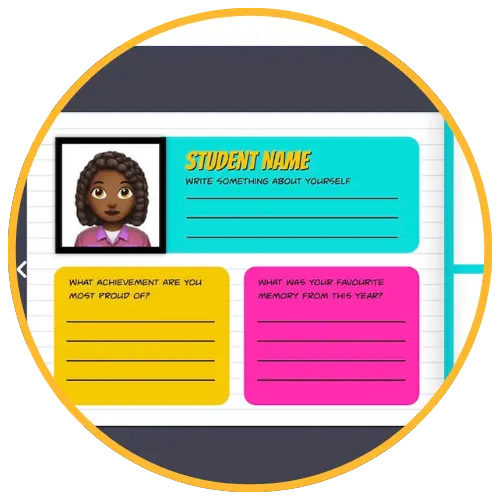
- Quickwrites & One‑Pagers: Templates help students draft short responses supported by images or media.
💡 Inquiry
- Research Books: Students gather information, pose questions, and synthesize findings in multimodal chapters.
- Evidence Collection: Learners insert images, quotes, or audio recordings to justify their claims.
💬 Collaboration
- Co‑Authoring: Groups create books together, give peer feedback, and revise collaboratively.
- Shared Presentations: Students build collaborative anthologies around topics or themes.
🗂️ Organization
- Graphic Organizers: Students use templates (e.g., sequencing, compare/contrast) to structure thinking.
- Portfolios: Learners build organized collections of work across subjects or units.
📖 Reading
- Audio‑Supported Reading: Students listen to recorded narration or use the read‑aloud tool.
- Interactive Texts: Teachers create books embedding videos, links, and images to scaffold comprehension.
Accessibility Spotlight
Book Creator supports inclusive learning through multimodal creation tools that allow students to express ideas through audio, drawings, video, or text. The built‑in read‑aloud tool, adjustable fonts and colors, and audio recording features provide flexible options for multilingual learners, emerging readers, and students with processing or writing challenges. These features ensure all learners have meaningful ways to create and access content.

