Edpuzzle
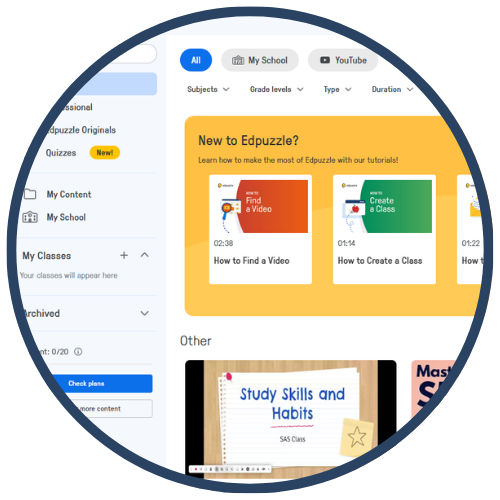
Edpuzzle is an interactive video learning platform that allows teachers to assign videos, embed questions, track student progress, and personalize instruction. Teachers can upload videos or choose from YouTube, Khan Academy, National Geographic, and other educational libraries. Students watch at their own pace while answering embedded questions that check comprehension, spark discussion, and support mastery learning. Edpuzzle is widely used for flipped learning, station rotations, and accountability in video‑based instruction.
Tech Level

Intermediate
Grade Bands
3-12
Explore the Tool
Getting Started
Go to https://edpuzzle.com/ and create a free teacher account.
Search the video library or upload your own content.
Add embedded questions (multiple choice, open‑ended, notes).
Assign the video to a class and review student analytics.
Key Classroom Features
Interactive Video Questions: Embedded checks for understanding to increase engagement.
Video Editing Tools: Trim, crop, or add audio notes to customize content.
Analytics Dashboard: Monitor progress, completion, accuracy, and time‑on‑task.
AVID Strategy Connections
✏️ Writing
Written Reflections: Open-ended questions allow students to explain thinking or summarize learning.
Justify Reasoning: Students write about why an answer is correct or incorrect using embedded prompts.
💡 Inquiry
Inquiry Checks: Pause points help students ask questions, make predictions, or analyze content.
Student‑Generated Questions: Learners create their own questions after viewing the video.
💬 Collaboration
Discussion Starters: Teachers use student responses to launch group discussions or debates.
Peer Review: Students compare answers and justify their reasoning collaboratively.
🗂️ Organization
Structured Learning Path: Videos with embedded checkpoints help students pace their learning.
Note‑Taking: Students take guided notes using teacher‑added audio or text annotations.
📖 Reading
Text Embedded Notes: Teachers add explanations that support key vocabulary and concepts.
Comprehension Questions: Students practice close‑reading of visual and textual information in the video.
Accessibility Spotlight
Edpuzzle supports inclusive learning by allowing students to pause, rewind, and rewatch content at their own pace—an essential scaffold for multilingual learners and students needing processing time. Teachers can add audio notes, simplified explanations, and visuals to support comprehension. Closed‑captioning further enhances accessibility, while the embedded question structure ensures all students engage with the content in manageable steps.

