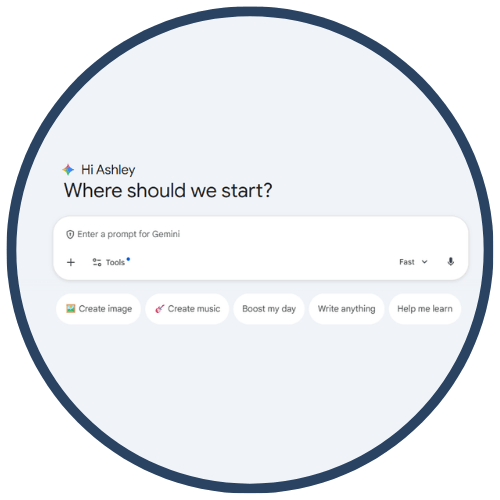
Google Gemini
Google Gemini is Google’s multimodal AI assistant designed to support teaching and learning through text, image, and data analysis capabilities. Educators can use Gemini to generate lessons, differentiate materials, analyze student work, create exemplars, and support inquiry-based instruction. With Gemini for Education, teachers gain classroom‑safe features, integration with Google Workspace for Education, and tools that help students learn responsibly through guided inquiry, prompting, and scaffolded support.
Tech Level

Intermediate
Grade Bands
6-12
Explore the Tool
Getting Started
Go to https://gemini.google.com/app and log in with your school‑approved Google account.
Explore Gemini’s multimodal prompting (text, images, docs) to generate explanations, examples, or instructional materials.
Use Gemini for Education resources to learn privacy‑safe classroom workflows.
Key Classroom Features
Lesson & Resource Generation: Create slide outlines, leveled texts, study guides, exemplars, and practice questions.
Multimodal Support: Upload images or files for analysis (e.g., graphs, student writing samples).
Workspace Integration: Works with Docs, Slides, and Classroom to support planning and student feedback.
AVID Strategy Connections
✏️ Writing
Revision Models: Students ask Gemini to produce alternate versions of their writing for comparison.
Sentence Expansion/Condensing: Gemini helps students improve the clarity and conciseness in their drafts.
💡 Inquiry
Question Generation: Students develop higher‑order questions using AI‑supported brainstorming.
Concept Clarification: Gemini breaks down complex concepts with step‑by‑step explanations.
💬 Collaboration
Group Planning: Teams generate outlines or project plans and refine them collaboratively.
Discussion Prep: Gemini provides sample discussion stems or prompts to support academic talk.
🗂️ Organization
Task Breakdown: Students convert large assignments into manageable steps.
Study Guides & Summaries: Gemini generates structured summaries of readings or class notes.
📖 Reading
Text Leveling: Rewrite passages at different reading levels for accessibility.
Vocabulary Support: Students request definitions, examples, or sentence frames for key terms.
Accessibility Spotlight
Google Gemini enhances accessibility by offering multiple ways to understand content—simplifying text, translating languages, generating visual explanations, and providing step‑by‑step guided reasoning. These features support multilingual learners, students with reading or processing needs, and learners who benefit from multimodal scaffolds. Gemini allows teachers to quickly create differentiated materials while maintaining high academic rigor and clarity.

