MIT App Inventor
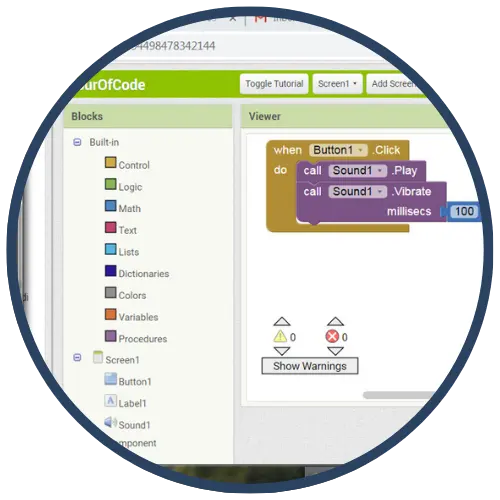
MIT App Inventor is a free, visual, block‑based programming environment that enables learners—even beginners—to build fully functional mobile apps for smartphones and tablets. App Inventor is designed to help students move from “technology consumption to technology creation,” and it supports teaching computational thinking through real-world app projects.
Tech Level

Intermediate
Grade Bands
6-12
Explore the Tool
Getting Started
- Go to the Teaching with App Inventor hub to access teacher resources and curriculum pathways.
- Review the Setting Up Your Classroom guidance (device connection over Wi‑Fi, emulator option, and Chromebook testing options).
- Start with an introductory tutorial sequence (Module 1 includes step‑by‑step lessons such as Magic 8 Ball, Paint Pic, and Pong, with teacher guides).
- If implementing a short kickoff, use the Hour of Code teacher guide (tutorials can open with instructions pre‑loaded in the sidebar; a separate server may allow “continue without an account” for Hour of Code use).
Key Classroom Features
- Block‑based app creation: Visual blocks help beginners program app behavior without syntax barriers.
- Designer + Blocks workflow: Classroom setup guidance describes building apps in the Designer (components/UI) and Blocks Editor (program logic).
- Flexible testing options: Teachers can connect devices over Wi‑Fi, use an on‑screen emulator, or test within Chromebook environments (as noted in teacher resources).
- Curriculum pathways & resources: The “Teach” hub highlights curricular supports (computational thinking curriculum, Mobile CSP, and other units).
- Classroom readiness guidance: The classroom setup page includes recommendations for advanced setup and information to share with IT about requirements.
AVID Strategy Connections
✏️ Writing
- Project Storyboards & Scripts: Students write a storyboard (screens, user flow, and messages) before building in the Designer and Blocks Editor.
- Reflection Logs: Students write brief reflections after testing (“What worked? What changed? What will I try next?”) to document iteration.
💡 Inquiry
- Hypothesis Testing Through Iteration: Students predict what a set of blocks will do, test on device/emulator, analyze results, and revise—mirroring inquiry cycles.
- Problem‑Solving with Real‑World Apps: Students identify a user problem and design app features to address it (aligns with App Inventor’s “apps that impact the world” emphasis).
💬 Collaboration
- Team App Builds: Students collaborate by dividing responsibilities (UI design vs. block logic) and combining into a shared final product.
- Peer Feedback Cycles: Students demo prototypes to peers and incorporate feedback before finalizing apps (supports AVID’s feedback routines).
🗂️ Organization
- Planning & Project Management: Students plan app screens, required components, and testing steps using checklists and milestones (plan → build → test → debug → publish).
- Structured Module Progression: Teachers can follow connected lesson progressions (e.g., Module 1 step‑by‑step lessons) to organize learning.
📖 Reading
- Reading Tutorials & Guides: Students follow step‑by‑step tutorials (video, tutorial sidebar, or text/PDF versions) and apply directions precisely.
- Reading Code Blocks as Text: Students interpret block sequences and logic in the Blocks Editor to debug and refine behavior.
Accessibility Spotlight
MIT App Inventor supports inclusive learning by using a visual, block‑based interface that reduces the barrier of text‑heavy syntax for beginners. Classroom guidance also provides multiple testing options (Wi‑Fi device connection, emulator, or Chromebook testing), which can increase access in settings with limited devices or varying technology constraints. With teacher‑guided, project‑based learning, students can demonstrate understanding through authentic app products while engaging in iterative improvement aligned to AVID’s “learning first, technology second” approach.

