NotebookLM
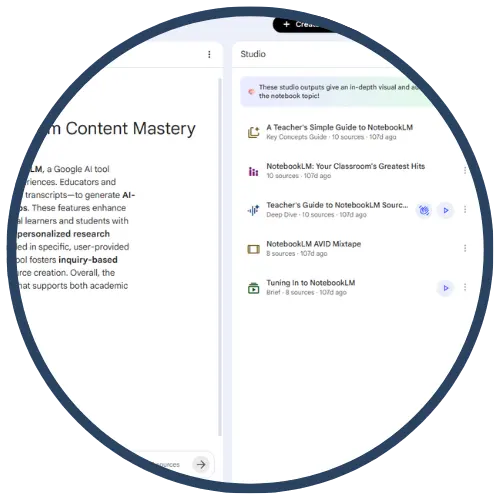
NotebookLM is Google’s AI research tool and “thinking partner” that helps teachers and students analyze sources they provide (such as PDFs, websites, Google Docs/Slides, YouTube videos, and audio files). It summarizes content, answers questions, and makes connections across sources while keeping responses grounded in the uploaded materials. Google for Education describes NotebookLM as a no‑cost generative AI tool “grounded only in the information you provide,” making it useful for building study guides, summaries, and lesson supports from trusted class materials.
Tech Level

Intermediate
Grade Bands
6–12
Explore the Tool
Getting Started
Go to NotebookLM and sign in with an eligible Google account.
Create a notebook and add sources (e.g., PDFs, websites, Google Docs/Slides, YouTube videos, audio files).
Ask questions about your sources (e.g., “What are the 3 main claims in this article?”) and use the citations to verify where answers came from.
Use NotebookLM to generate study supports (summaries, study guides, and—per Google’s student page—Audio Overviews, Mind Maps, and Flash Cards generated from sources).
Key Classroom Features
Source‑grounded responses with citations: NotebookLM answers using your uploaded materials and provides citations pointing back to specific passages.
Multiformat source support: NotebookLM supports uploading and analyzing PDFs, websites, YouTube videos, audio files, Google Docs, Google Slides, and more.
Study tools from sources: Google’s student page describes how to generate study aids such as Audio Overviews, Mind Maps, and Flash Cards from your materials.
Education positioning: Google for Education emphasizes that NotebookLM is grounded solely in the information you provide and can generate classroom artifacts, such as summaries and study guides, from course materials.
AVID Strategy Connections
✏️ Writing
Source Synthesis → Outline: Students use NotebookLM to synthesize teacher-provided sources into organized notes and outlines (then write in their own words).
Writing to Learn Prompts: Teachers generate reflection prompts and short constructed response stems from unit sources (teacher-guided).
💡 Inquiry
Question‑Driven Exploration: Students ask questions of the provided sources and use citations to support evidence-based inquiry.
Clarify & Extend: Students request explanations of confusing sections and confirm accuracy by checking the cited passages.
💬 Collaboration
Shared Source Sets (teacher-curated): Teams investigate the same set of sources and compare claims/evidence they find using cited answers as a starting point.
Peer Review for Evidence: Students evaluate whether peers’ claims are supported by cited passages (supports accountable talk and academic integrity).
🗂️ Organization
Second-Brain Notes: Students organize learning by collecting sources, summarizing key ideas, and generating structured study aids (study guides/flashcards).
Process Checkpoints: Teachers use NotebookLM to create “what you should know” lists and chunked learning targets from source materials.
📖 Reading
Close Reading with Evidence: NotebookLM supports reading comprehension by allowing students to ask text-dependent questions and verify answers via citations to the source text.
Vocabulary from Context: Teachers generate vocabulary lists and examples grounded in class sources (teacher-guided), supporting content-area reading.
Accessibility Spotlight
NotebookLM can increase access to rigorous content by turning teacher‑provided materials into clearer, student-friendly supports—summaries, explanations, and study aids—while keeping learning anchored in trusted sources. Because NotebookLM provides citations back to the original passages, students (including multilingual learners and students who benefit from processing support) can validate meaning and revisit the exact section of text that supports an answer. Google’s student-facing page also highlights study supports like Audio Overviews, Mind Maps, and Flash Cards generated from a student’s uploaded class materials, offering multiple ways to engage with the same content.

