Powtoon
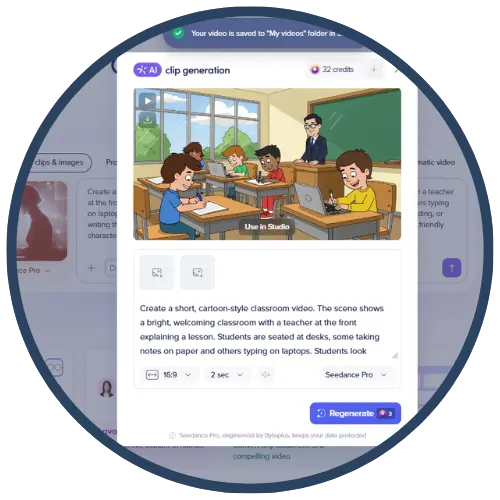
Powtoon is an online animated video and presentation tool that helps educators and students create engaging explainer videos, animated presentations, and short instructional clips using templates, characters, scenes, and media assets. Powtoon’s Education offering is designed for school use and supports the creation of video lessons, lecture summaries, and school communications in an easy, story‑based format.
Tech Level

Intermediate
Grade Bands
3-12
Explore the Tool
Getting Started
Go to Powtoon and sign up/log in.
Start with an education template or a blank project (presentation or video).
Add scenes, characters, text, and media; then adjust timing and flow.
Export/share your video for classroom viewing or student publishing (per your district sharing expectations). (Teacher implementation step—sharing method depends on your platform.)
Key Classroom Features
Education templates & media assets: Powtoon highlights school‑friendly footage/scenes/animations/characters/fonts/music and professionally designed EDU templates for common school needs (syllabi, explainers, lecture summaries).
Animated presentations → more engaging visuals: Tech & Learning describes Powtoon as a tool that makes standard presentation slides more fun with video animations.
Classroom management (if using a Classroom plan): Powtoon’s support documentation explains that classroom setup includes adding a classroom group and inviting students to that group (for plans with class management features).
Instructional explainers for complex concepts: Michigan Virtual describes Powtoon as a video creation tool for creating engaging animated clips that help explain challenging content to students.
AVID Strategy Connections
✏️ Writing
Storyboard Writing: Students write a storyboard/script before building the animation to strengthen organization and clarity.
Narration-to-Text: Students convert narration into captions or summaries to practice concise academic writing.
💡 Inquiry
Explain-Your-Reasoning Videos: Students create short explainer videos that answer “How/Why does this work?” (science/math/ELA concepts).
Claim–Evidence–Reasoning (CER) Visuals: Students animate a claim and support it with evidence/examples (especially effective for argument/persuasion).
💬 Collaboration
Team Production Roles: Groups assign roles (script writer, designer, narrator, editor) and co-produce a single Powtoon.
Peer Feedback Loops: Students exchange drafts and give feedback on clarity, pacing, and evidence.
🗂️ Organization
Sequencing & Structure: Students organize content into a beginning–middle–end flow (hook → explanation → summary).
Project Planning Checkpoints: Use a timeline: plan → storyboard → draft → revise → publish (supports sustained tasks).
📖 Reading
Summarize a Text Visually: Students read an article/chapter and convert key ideas into an animated summary with vocabulary and examples.
Character/Theme Analysis: Tech & Learning’s Powtoon lesson-plan approach uses Powtoon to teach character concepts and attributes—students can extend this into text-based analysis.
Accessibility Spotlight
Powtoon can support inclusive learning by giving students multiple ways to communicate understanding—through visuals, text, and (when used) narration. Powtoon’s educational positioning emphasizes customizable templates and visual learning tools to create engaging educational videos, thereby reducing reliance on text‑only outputs for students who benefit from multimodal expression. Additionally, using short animated explainers to clarify challenging concepts can help learners who need concrete visuals and step‑by‑step explanations.