SchoolAI
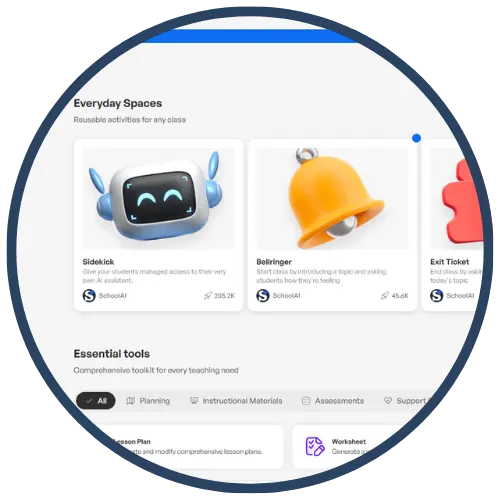
SchoolAI is an education‑focused AI platform designed to help teachers introduce artificial intelligence in a safe, structured, and instructional way. Rather than acting as a general chatbot, SchoolAI allows teachers to create guided AI experiences—called “spaces”—where students interact with AI through teacher‑controlled prompts, roles, and boundaries. SchoolAI is used to support inquiry, writing, discussion, reflection, and content exploration while emphasizing responsible AI use and student thinking.
Tech Level

Intermediate
Grade Bands
6-12
Explore the Tool
Getting Started
Go to https://schoolai.com/ and create a free educator account.
Choose or create a Space (a guided AI interaction) aligned to your learning goal.
Set expectations and norms for student use.
Share the space with students and monitor responses in real time.
Key Classroom Features
Teacher‑Created AI Spaces: Teachers control the purpose, tone, and boundaries of AI interactions.
Role‑Based AI: Students can interact with AI as a tutor, historian, scientist, editor, or discussion partner.
Live Monitoring: Teachers can view student responses and guide instruction in real time.
Focus on AI Literacy: Designed to teach how to think with AI, not copy from it.
AVID Strategy Connections
✏️ Writing
Guided Drafting: Students use AI as a thinking partner to generate ideas, outlines, or revisions—then write in their own words.
Revision Conversations: Students ask AI to provide feedback aligned to a rubric or writing goal and reflect on suggested changes.
💡 Inquiry
Socratic Questioning: AI prompts students with probing questions rather than answers.
Concept Exploration: Students explore topics by asking “why,” “how,” and “what if” questions within a controlled space.
💬 Collaboration
Shared Inquiry Experiences: Students engage in the same AI space and then compare their thinking in pairs or groups.
Discussion Prep: AI helps students generate discussion points or counterarguments before live conversations.
🗂️ Organization
Task Chunking: Students break complex assignments into manageable steps with AI support.
Planning Tools: AI assists students in organizing ideas, timelines, or project components.
📖 Reading
Text Support: Students ask AI to clarify sections of teacher‑provided text or explain vocabulary in context.
Critical Reading: Students evaluate AI responses against original texts to confirm accuracy and deepen comprehension.
Accessibility Spotlight
SchoolAI supports inclusive learning by providing structured, scaffolded AI interactions that reduce cognitive overload and encourage thoughtful participation. Because teachers define the scope and purpose of each AI space, students receive consistent prompts and supports that benefit multilingual learners, students with processing needs, and those who struggle with open‑ended tasks. The platform’s emphasis on inquiry and reflection—rather than answer‑generation—helps maintain rigor while offering multiple entry points for engagement.