ScratchJr
ScratchJr is a free, introductory block‑based programming app designed for young children (ages 5–7) to create interactive stories, games, and animations. Developed by the Scratch team at MIT in collaboration with early childhood educators, ScratchJr removes text‑based coding barriers by using visual programming blocks, characters, backgrounds, and simple motion controls. ScratchJr helps students develop early computational thinking, sequencing, problem‑solving, and creative expression through play‑based learning.
Tech Level

Easy
Grade Bands
PK-2
Explore the Tool
Getting Started
Download ScratchJr on iPads, Android tablets, or Chromebooks (where supported).
Open the app and select Create to start a new project.
Choose a background and add characters (sprites).
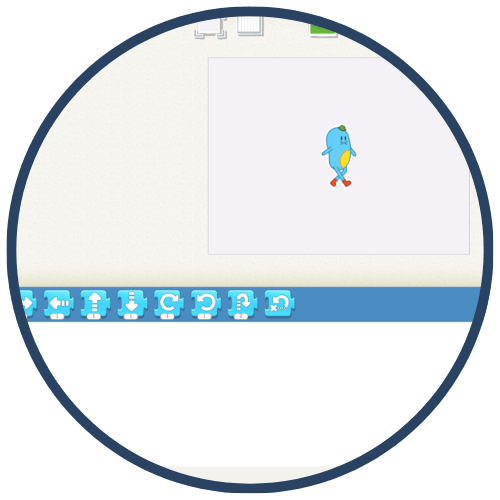
Drag coding blocks to make characters move, speak, or interact.
Tap the green flag to run the program and revise as needed.
Key Classroom Features
Block‑Based Coding: Students snap together motion, looks, sound, and control blocks.
No Reading Required: Icons and symbols make coding accessible for early learners.
Storytelling & Animation: Students create narrated stories, scenes, and simple games.
Touch‑Based Interface: Designed specifically for tablets and young children’s motor skills.
AVID Strategy Connections
✏️ Writing
Story Sequencing: Students plan and retell stories using beginning–middle–end animations.
Oral Narratives: Students explain their code and story choices verbally or through teacher‑guided reflection.
💡 Inquiry
What Happens If…?: Students predict outcomes before running their code and revise based on results.
Cause‑and‑Effect Exploration: Learners test how changing a single block affects a character's behavior.
💬 Collaboration
Partner Coding: Students work together to plan scenes or debug simple programs.
Show & Tell: Students share projects and describe how their code works.
🗂️ Organization
Step‑by‑Step Planning: Students organize blocks in logical order to achieve a goal.
Routine Building: ScratchJr projects reinforce sequencing and structure.
📖 Reading
Visual Literacy: Students “read” symbols, icons, and sequences instead of text.
Listening & Comprehension: Teachers pair ScratchJr stories with read‑alouds or oral instructions.
Accessibility Spotlight
ScratchJr supports inclusive early learning by removing reading and typing barriers and replacing them with visual, touch‑based coding. Its icon‑driven interface benefits multilingual learners, emerging readers, and students with fine‑motor or processing needs. Because ScratchJr encourages exploration, repetition, and creativity at a self‑paced level, it provides equitable access to early computational thinking while maintaining joyful, developmentally appropriate rigor.

