Wayground
Wayground is an interactive learning and formative assessment platform designed to support student engagement, differentiation, and real‑world learning. Teachers use Wayground to create and deliver lessons that include questions, tasks, discussion prompts, and AI‑supported scaffolds. The platform emphasizes student thinking, flexibility in response types, and teacher control over pacing and feedback. Wayground integrates with classroom workflows and can be accessed through Clever for streamlined student login.
Tech Level

Intermediate
Grade Bands
3–12
Explore the Tool
Getting Started
Go to https://wayground.com/?lng=en and create an educator account.
Create a lesson or activity by adding prompts, questions, or tasks.
Adjust pacing, response options, and supports for your learners.
Share the lesson link with students or launch through Clever.
Key Classroom Features
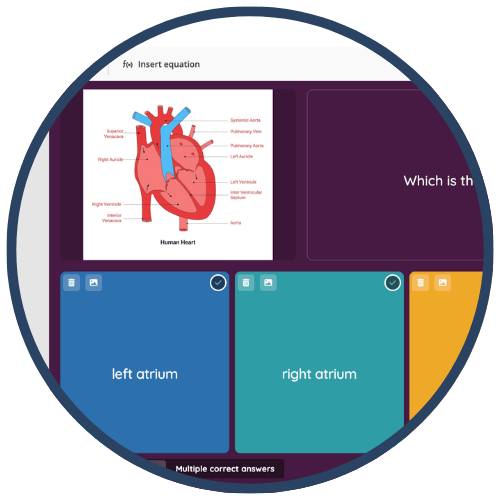
Interactive Lessons: Teachers design activities that include questions, tasks, and reflection points.
Multiple Response Types: Students respond using text, selections, or structured prompts.
AI‑Supported Differentiation: Teachers can provide scaffolds or supports to meet diverse learning needs.
Clever Integration: Supports streamlined login and classroom access.
Real‑Time Monitoring: Teachers view student responses and adjust instruction as learning unfolds.
AVID Strategy Connections
✏️ Writing
Constructed Responses: Students explain reasoning, justify answers, or reflect on learning within lessons.
Writing to Learn: Teachers use short prompts to help students process content during instruction.
💡 Inquiry
Question‑Driven Learning: Lessons are structured around guiding questions and exploration.
Real‑World Problem Solving: Students apply content knowledge to authentic scenarios.
💬 Collaboration
Discussion Prompts: Students respond to and build on shared ideas during lessons.
Shared Learning Experiences: Teachers facilitate whole‑class or small‑group discussion using student responses.
🗂️ Organization
Sequenced Learning: Lessons guide students through content in a logical, scaffolded flow.
Progress Monitoring: Teachers track students' understanding and adjust pacing or supports as needed.
📖 Reading
Text‑Based Prompts: Students engage with short passages, visuals, or scenarios embedded in lessons.
Comprehension Checks: Teachers gather evidence of understanding throughout instruction.
Accessibility Spotlight
Wayground supports inclusive learning by offering flexible response options, built‑in scaffolds, and teacher‑controlled pacing. AI‑supported differentiation allows educators to adjust supports without lowering rigor, helping multilingual learners and students who need additional processing time engage meaningfully with the same learning goals. Real‑time feedback and structured lesson design help ensure all students can access and demonstrate understanding.