Code.org
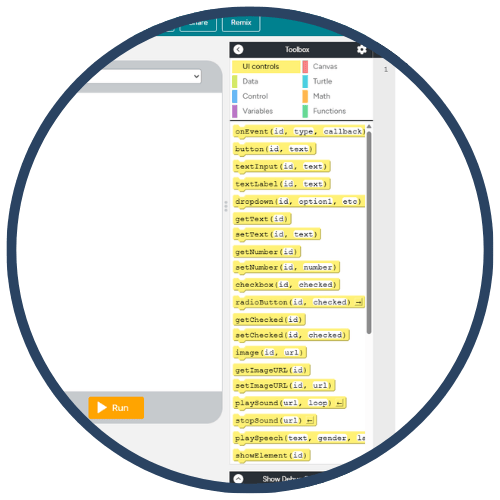
Code.org is a leading nonprofit platform offering free, high‑quality K–12 computer science and AI curricula designed to broaden participation among women and underrepresented minorities. The platform provides interactive, web‑based coding experiences (Blockly, JavaScript, Python), engaging videos, teacher‑ready lesson plans, and self‑paced learning pathways. Millions of classrooms use Code.org to teach foundational computer science, problem‑solving, and computational thinking skills.
Tech Level

Intermediate
Grade Bands
K-12
Explore the Tool
Getting Started
Visit https://code.org/ and create a free teacher account.
Select a course (e.g., CS Fundamentals, CS Discoveries, CS Principles).
Open your teacher dashboard to assign lessons, track progress, and access resources.
Key Classroom Features
Interactive Coding Spaces: Students learn through Blockly, JavaScript, and Python.
Ready‑Made Lesson Plans: Includes objectives, pacing, vocabulary, and assessments.
Video Tutorials: Short, high‑quality videos featuring scientists and industry leaders.
Self‑Paced Learning: Students progress at their own speed with automatic saving.
AVID Strategy Connections
✏️ Writing
Algorithm Writing: Students write step‑by‑step pseudocode before translating it into blocks or text‑based code.
Reflection Logs: Learners document debugging attempts and explain their reasoning.
💡 Inquiry
Problem‑Solving Tasks: Students explore challenges, ask “What will this code do?”, and test hypotheses.
Data & Patterns: Learners analyze program outputs to draw conclusions and refine their code.
💬 Collaboration
Pair Programming: Students switch roles (Driver/Navigator) to promote shared reasoning and communication.
Group Challenges: Teams design mini‑projects, provide peer feedback, and refine solutions.
🗂️ Organization
Project Planning Boards: Students plan features, user flow, and iteration cycles.
Step Sequencing: Learners structure tasks into logical steps (variables, loops, conditionals).
📖 Reading
Instructional Walk‑Throughs: Students read instructions, diagrams, and code comments carefully.
Vocabulary Frames: Terms like algorithm, loop, event, and condition are used in context.
Accessibility Spotlight
Code.org supports accessibility through scaffolded lessons, multimodal explanations, built‑in read‑aloud options in many courses, and translated instructions in over 60 languages. The block‑based coding interface lowers barriers for emerging readers and multilingual learners, while unplugged lessons support classrooms with limited access to devices. These features ensure students of all backgrounds can engage in rigorous computer science learning.

