Curipod
Curipod is an AI‑powered interactive lesson and presentation platform that helps teachers create engaging, discussion‑rich learning experiences. Educators can generate lessons, polls, interactive questions, exit tickets, and visual slides within seconds using AI prompts. Students join via code to participate in live activities, respond anonymously, and collaborate in real time. Curipod is designed to elevate student voice, support inquiry, and boost engagement across grade levels.
Tech Level

Intermediate
Grade Bands
3-12
Explore the Tool
Getting Started
Create a free account at https://curipod.com/lang/en-US.
Choose AI Lesson Generator or start from a blank presentation.
Share the join code with students to begin the interactive session.
Key Classroom Features
AI‑Generated Lessons: Create standards‑aligned lesson drafts, discussion questions, and slides in minutes.
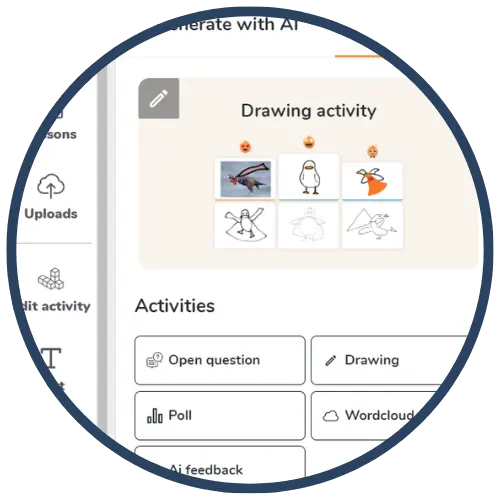
Interactive Response Tools: Includes polls, word clouds, drawings, open responses, and collaborative boards.
Live Participation: Students join in real time to make anonymous, equitable contributions.
AVID Strategy Connections
✏️ Writing
Quickwrites: Students respond to open‑ended prompts using Curipod’s text response tools.
Written Reflections: Use exit ticket slides for students to summarize learning or explain thinking.
💡 Inquiry
Question Generation: Polls and open responses prompt students to pose clarifying or deepening questions.
Analysis Tasks: Students interpret images, graphs, or scenarios and share evidence‑based responses.
💬 Collaboration
Interactive Boards: Students contribute ideas collectively, making thinking visible.
Discussion Starters: Anonymous responses help launch equitable class conversations.
🗂️ Organization
Structured Slides: Lesson templates help students follow predictable routines and content flow.
Graphic Organizer Slides: help AI-generated organizers support students in structuring their thinking.
📖 Reading
Shared Text Annotation: Students read short prompts or slides and respond with summaries or interpretations.
Vocabulary Review: Word clouds and matching prompts reinforce key terms.
Accessibility Spotlight
Curipod promotes inclusive participation by allowing anonymous student responses, reducing performance anxiety, and encouraging all learners to contribute. Interactive modalities—drawing, typing, polls, and visual prompts—offer multiple entry points for multilingual learners and students with varying processing needs. The AI‑generated scaffolds help teachers create leveled prompts and structured routines that support clarity, reduce cognitive load, and maintain high rigor for diverse learners.

