Padlet
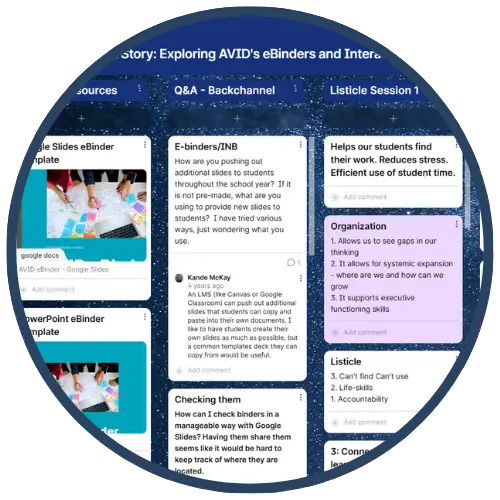
A free application to create an online bulletin board that you can use to display information for any topic. Easily create an account and build a new board. You can add images, links, videos, and more. The device-agnostic tool is available on the web and as free Android and iOS apps. Use it on any device, or switch between several devices and still access your work. App and web versions vary slightly. Padlet is a great tool for students to collaboratively curate content for research and other projects.
Tech Level

Beginner to Intermediate
Grade Bands
K-12
Explore the Tool
Go to https://padlet.com/ and create a free account.
- Create a Padlet Wall: Start by choosing a layout (grid, stream, map) to organize posts visually.
- Add Content Easily: Drag and drop images, links, videos, or text to build interactive boards.
- Customize Settings: Adjust privacy, permissions, and themes to fit your classroom needs.
- Collaborate in Real Time: Invite students to post ideas, questions, and resources simultaneously.
AVID Strategy Connections
✏️ Writing
- Quickwrites on Padlet: Activate prior knowledge by having students post short responses before a lesson.
- Organize Ideas for Writing: Use Padlet to map out thesis statements, evidence, and transitions for essays.
💬 Collaboration
- Brainstorming Wall: Students work together to collect ideas and resources for projects.
- Discussion Forum: Use Padlet for Philosophical Chairs prep—students post claims and evidence to support their stance.
💡 Inquiry
- Question Board: Students post questions during a lesson and respond to peers’ inquiries.
- Curate Sources: Assign students to find and share credible links for research topics.
📒 Organization
- Digital Word Wall: Build academic vocabulary collaboratively and color-code by difficulty.
- Exit Tickets: Collect reflections or lingering questions at the end of class.
Accessibility Spotlight
Padlet allows real-time collaboration on any device—students can post from phones, tablets, or computers without extra software. This flexibility makes it easier for learners using assistive technology or alternative input methods to participate fully.

